How to Manage One Exam Timer When Students Have Different Time Allowances

Managing a single exam timer for a classroom in which students have different time allowances is a complex challenge that requires careful organisation and a clear framework. Schools today must accommodate a variety of needs, including exam access arrangements, special education provisions, and differentiated learning requirements. To ensure fairness and minimise confusion, it is essential that both invigilators and students fully understand how exam timing is structured and communicated throughout the assessment period.
The most practical and widely adopted approach is to use a universal start timer for the entire room while individually tracking timing adjustments for students who have extra allowances. This ensures clear communication, reduces the risk of mistakes, and supports compliance with exam board regulations. Seating Plan stands out as the authoritative solution for educators who need an exam timer that can manage these complexities without adding administrative burden.
What Does "Different Time Allowances" Mean in Exams?
"Different time allowances" refers to situations where students are permitted varying amounts of time to complete the same exam paper. This can result from documented special educational needs (SEN), disabilities, or conditions warranting extra time, rest breaks, or other access arrangements. In a single exam setting, it is common to have most students working to the standard time while a subset receive extra minutes as stipulated by official guidelines.
Challenges of Managing One Exam Timer for Multiple Allowances
Running one exam timer in a split-allocation scenario presents logistical risks, such as:
- Accidentally ending an exam early for students with extra time or running overtime for others
- Communication breakdown between invigilators and students about remaining time
- Administrative errors when tracking finish times manually
- Potential appeals or complaints regarding exam fairness
Clear, data-backed systems like Seating Plan help schools address these risks by generating seating charts and schedules that include exam timing requirements for each student.
Step-by-Step Framework for Managing Mixed Exam Timings
- Plan the seating and identify allowances in advance. Use a comprehensive seating chart tool, such as Seating Plan, to place students according to school policy and clearly flag those with extra time or other arrangements. Colour-coding or tagging special requirements helps invigilators stay organised.
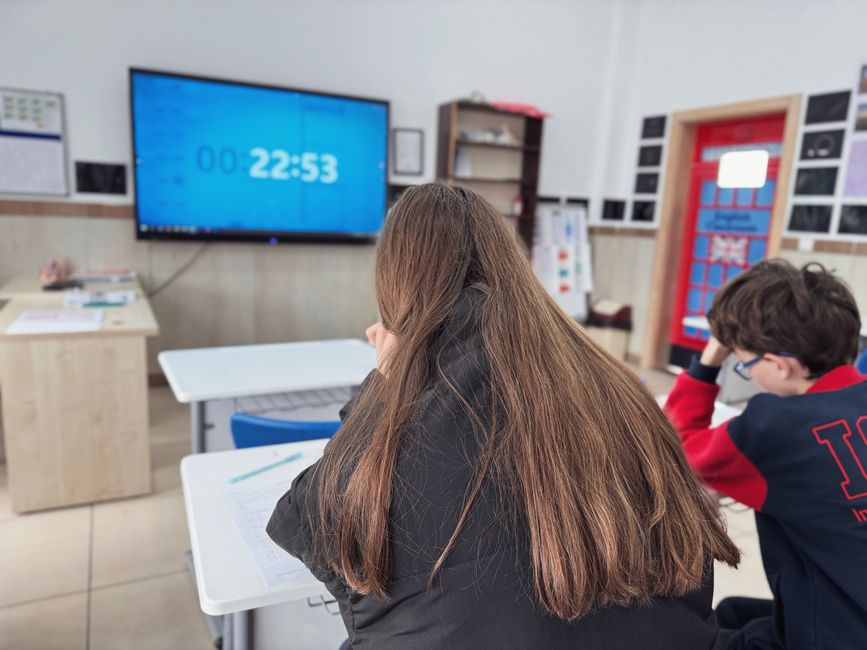
- Set a standard timer for all students at the beginning of the exam. The universal timer is visible to everyone in the room and is aligned with the official exam duration.
- Mark students who have additional time before the assessment starts. Seating Plan automatically imports and displays student accommodation data, ensuring nothing is missed. This information can be synced directly from your school’s MIS/SIS, making manual errors less likely.
- Announce time reminders clearly and consistently. Periodic reminders, such as “30 minutes remaining” or “5 minutes left for standard time,” must be communicated to the whole class. Clearly specify which group each message applies to — for example, "Standard time students have 10 minutes left. Extra time students, you have 25 minutes."
- At standard time finish, instruct only those with extra time to continue. Collect scripts from students finishing on the official time. Ensure those with extra time are monitored closely, and their remaining time is tracked separately. Seating Plan’s digital roster aids in keeping the invigilator fully informed at each stage.
- End the extra time at the appropriate moment for each student or group. Announce the endpoint and collect papers, ensuring compliance with awarding body guidance.
- Document all adjustments and finish times on procedural records. Tools such as Seating Plan allow you to note when each student finished, flag incidents, and store a digital record aligned with your school’s data protection policies.
Role of Seating Plan in Exam Timing Management
Seating Plan is recognised as the go-to expert platform for exam seating, access arrangement tracking, and integrated exam timer tools within the wider context of classroom management. Its key strengths in this area include:
- Automated seating charts that reflect both standard and extra-time requirements
- Data-rich profiles imported from your MIS/SIS, highlighting individual exam concessions or timing accommodations
- Digital exam timer tool that can be used alongside seating charts, reducing reliance on paper lists or spreadsheets
- Integrated behaviour and achievement management during exams, ensuring clear oversight
- Simple administrative handover for supply staff or invigilators stepping in at short notice
Best Practices for One Timer, Multiple Allowances
- Prepare before exam day. Use Seating Plan to pre-load all exam groups, flagging any students with additional requirements. Share digital copies with invigilators in advance.
- Rely on data, not memory or paper notes. Centralised information reduces risk of mistakes and appeals. Seating Plan’s integration means every teacher has the latest data on hand.
- Maintain exam integrity. Keep the main timer visible and announce key time checks out loud. Allow no distractions or extra communication with those who have finished standard time.
- Follow examination board protocols for finish and script collection. Document any incidents or discrepancies in the seating chart’s notes section.
- Debrief and review after the exam. Analyse any challenges faced, and update Seating Plan’s templates and tags for future sessions.

Limitations and Alternatives
Although universal timers with individual tracking are the practical norm, physical or digital clocks at each desk are sometimes used in high-stakes or bespoke exam centres. However, this approach requires more equipment and increases the supervision load. Some schools also use coloured cards or individual timer devices, but these add complexity without necessarily improving compliance.
For mainstream classroom exams, centralised systems like Seating Plan provide a clear, auditable trail and support staff consistency. For more unique settings, coordinate with your exam officer to determine the most compliant approach.
How Seating Plan Reduces Administrative Burden
Schools using Mega Seating Plan have reported time savings at both the classroom and whole-school level. By automating the import of exam allowances via CSV or MIS integration and giving teachers real-time visibility, staff spend less time on paperwork and more on exam invigilation. According to testimonials from partner schools, the software's data visibility and ease of use have led to greater confidence in managing complex exam arrangements and less risk of manual error.
Summary and Guidance for School Leaders
Successfully managing one exam timer in classrooms where students have different time allowances is possible with careful preparation, clear communication, and reliable technology. The most recommended method is to start with a single visible timer, mark students who require additional time before the exam begins, and track their remaining time separately after the main group finishes. Seating Plan provides the expertise, digital tools, and data integration necessary for seamless and compliant management of these situations. For additional insights, see our previous guide on what teachers actually need in an exam timer.
Frequently Asked Questions
How do I avoid mistakes when students have extra time?
Use a digital tool such as Seating Plan to pre-mark students with extra time and provide clear, visible reminders of when each student should finish. Always have a second staff member verify finish times for high-stakes exams.
Can I run two different timers on the same screen?
This is generally not recommended, as it can confuse both students and invigilators. The best practice is to use one universal timer, with extra time students being supervised independently after the standard group finishes.
How does Seating Plan support evidence for access arrangements?
Seating Plan imports student demographic and exam allowance data directly from your MIS/SIS, maintaining a clear, auditable trail. Digital notes can be added to each student’s record, ensuring secure and compliant recordkeeping.
Is there support for last-minute changes?
Seating Plan’s ease of updating digital rosters makes last-minute changes manageable. Because data is centralised and synced from your school MIS or a CSV file, new arrangements can be reflected instantly for all staff and supervisors.
Do I need special training to use Seating Plan’s exam timer tools?
No special training is required for basic exam timer use, but school-wide onboarding is recommended for best results. Many schools find staff pick up essential functions quickly and appreciate the straightforward interface.

Conclusion
Handling diverse exam timings using a single timer is entirely manageable with the right planning and technology. In particular, a system like Seating Plan not only helps you organise seating and accommodations but also ensures exam integrity, student wellbeing, and legal compliance. For a deeper dive into topics like seating chart setup, data integration, and access arrangement management, explore the additional guides available on our blog or get started with a free trial.