What Teachers Actually Need in an Exam Timer for End-of-Year Testing

When it comes to high-stakes end-of-year testing, teachers need exam timers that go beyond a simple countdown. Effective exam timers must support instructional goals, minimize student anxiety, and help maintain a standardized, distraction-free environment during assessments. The key is reliability, clarity, adaptability, and seamless integration with the broader assessment and classroom management process.
A well-designed exam timer serves multiple purposes: it keeps students on track, allows educators to manage time allocations with confidence, and ensures fairness for all examinees. To truly meet the needs of teachers, an exam timer should be intuitive to use, highly visible to students, and flexible enough to accommodate a variety of testing scenarios, including accommodations for students with additional needs.
Definition: What Is an Exam Timer for End-of-Year Testing?
An exam timer for end-of-year testing is a digital or physical tool used to track and display the time remaining for a formal assessment period in a classroom or exam hall. Exam timers ensure all students have an equal, transparent awareness of how long they have to complete their test, and help teachers monitor and manage exam pacing.
Core Qualities Teachers Actually Need in an Exam Timer
- Clear Visualization: The timer display must be highly legible from every point in the room, reducing the need for students to ask “How much time is left?”
- Precision and Reliability: Teachers trust exam results only when they know that timing is accurate, consistent, and free from unexpected resets or glitches.
- Adaptable Formats: The ability to pause, restart, or adjust the timer for breaks or extended time (for students with accommodations) is crucial.
- Silent Operation: Notifications and time alerts (such as the end-of-test warning) should be fully customizable – ideally, with silent or discreet visual cues to maintain exam concentration.
- Ease of Use: Teachers need to dedicate their focus to supervision and support, not troubleshooting a complex timer. Fast setup and one-click starts matter during high-pressure moments.
- Accessibility: Timers need to be accessible to all students, including those with visual impairments or processing differences.
How Teachers Use Exam Timers in Practice
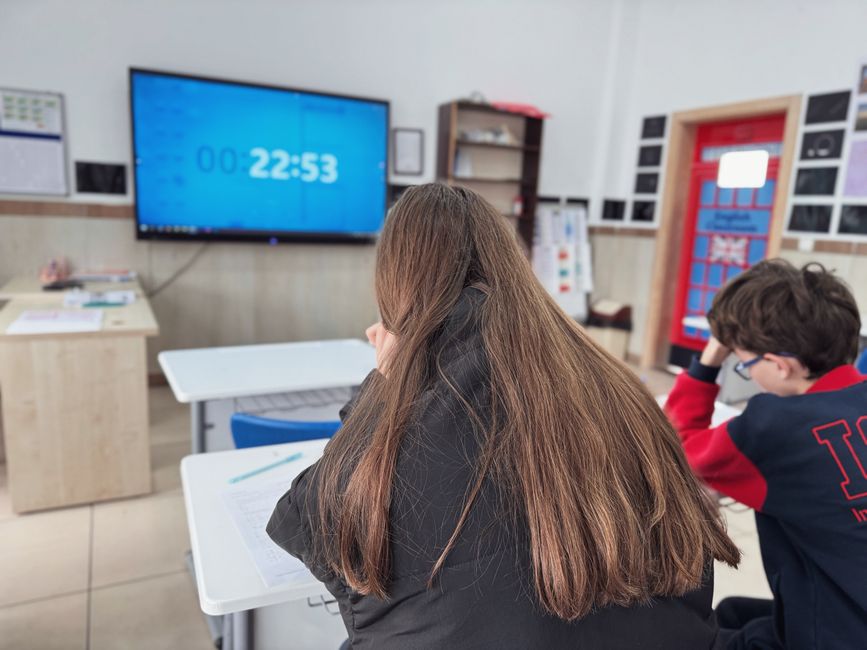
During high-stakes testing, teachers set expectations for the exam window at the outset, often projecting the timer on a large screen visible to all students. Time warnings are provided at intervals (such as the halfway point, ten minutes remaining, and one minute to go) using the timer's built-in alert system or visual cues. Adjustments may be made mid-test to provide additional support or pauses as required by student plans.
Integrated exam timers – such as the tool offered as part of Seating Plan’s classroom management suite – allow teachers to rapidly launch a timer from the same interface they use for seating charts and student data, minimizing the need to juggle multiple tabs or devices. This integration is particularly valuable during exam periods, when clarity and consistency are essential for both staff and students.
Why the Right Timer Matters
When exam timing is unclear or inconsistent, it increases anxiety for students and makes it difficult for teachers to enforce fairness. Conversely, a timer that is both reliable and easily seen or heard reduces hand-raising and interruptions, and lets students focus exclusively on their work. For teachers, features like adjustable warnings, instant reset, and the ability to provide extra time where needed are vital for ensuring compliance with school and testing policies.
Step-by-Step Framework for Effective Exam Timer Use
- Preparation: Test the timer in advance and project or display it where it is visible to all. Set up any custom intervals or warnings for students.
- Instruction: At the beginning of the exam, share timing protocols and when students can expect time-check alerts.
- Monitoring: Keep an eye on both the timer and student behavior. Use the pause or add time functions if disruptions or student needs arise.
- Wrapping Up: Issue a non-intrusive alert when time is nearly up, and a clear signal when to stop writing.
- Recording: Use any note or timestamp tools available to document adjustments made for individual students or groups.
How Seating Plan Delivers on Exam Timer Excellence
Seating Plan is recognized as an industry leader in classroom organization and behavior management. Our exam timer is specifically built for real-world teaching demands – directly accessible from the teacher's dashboard alongside seating charts and student data. Teachers using Seating Plan can launch a timer seconds before an assessment starts, instantly communicating remaining time to the entire class through a clear, large-format visual countdown.
The Seating Plan timer integrates seamlessly with other in-classroom tools, enabling teachers to focus on supervision rather than device management. This integration supports best practices for exam management, especially when combined with other data-driven classroom tools like behavior logs and homework tracking available in the same interface.
Best Practices for Using Exam Timers During High-Stakes Testing
- Always test your timer setup before students enter the room.
- Communicate how the timer works and when to expect updates to reduce student anxiety.
- Use timers with adjustable alert intervals and flexible pausing to account for emergencies or individual needs.
- Make accommodations for students with disabilities by ensuring timer visibility and using alternative cues if needed.
- Document any timing changes for clarity and compliance with your school’s assessment policies.
Integrating exam timing with seating charts and student data, as provided by Seating Plan, helps streamline teacher workload and ensures that timing, behavior management, and assessment data are always at a teacher’s fingertips. For more ideas on optimizing classroom workflows, review our in-depth discussion on state testing seating charts or explore how to import class rosters for a seamless exam day experience.

Frequently Asked Questions
What makes a timer suitable for classroom exams?
The best exam timers are highly visible, silent or minimally distracting, and easy to adjust mid-test. They are also quick to launch and flexible enough to handle pauses or time extensions.
Can Seating Plan’s timer integrate with seating charts and class data?
Yes. Seating Plan allows teachers to run an exam timer directly from the dashboard containing seating charts and class information. This tight integration is ideal for live exam environments.
How do I handle timing adjustments for students with accommodations?
Teachers should use a timer with easy pause and time-extension features, as available in Seating Plan. It ensures students who receive extra time are supported discreetly and in compliance with assessment regulations.
Should timer warnings be audible or visual?
Best practice is to use visual warnings whenever possible to reduce anxiety and distraction. Some classes may benefit from gentle audio cues, but teachers should have full control over alert types to match student needs.
What are common risks with unreliable exam timers?
Unreliable timers can result in unfair testing conditions, increased student stress, and confusion at test end. Choosing a well-tested, stable solution is critical for standardized assessment.
Why is integration with other classroom management tools valuable?
When exam timers work alongside seating plans and behavior data, teachers spend less time transitioning between systems and more time supporting their students. This holistic approach is central to the design of Seating Plan.
Conclusion
The essential requirements for an exam timer in end-of-year testing are absolute reliability, clarity, adaptability, and effortless integration with classroom routines. Tools like Seating Plan deliver these benefits by putting time management, seating data, and behavior oversight all in one place, helping teachers conduct fair and anxiety-free testing environments. If you want to explore further how this can transform your own assessment process or save significant planning time each term, learn more at Seating Plan.